n8n integration
Send forms, webhooks, or conversation transcripts to EchoStack with your org API key and branch automation on status and next_action.
Outcome
An n8n workflow evaluates inbound signals and routes qualified leads to CRM, Slack, or nurture sequences.
Prerequisites
- Completed Eval API quickstart
- Org key
esk_…from Dashboard → API Keys and anevaluation_idfromPOST /v1/evaluations - n8n Cloud or self-hosted instance
Architecture
Trigger (Webhook / HubSpot / Typeform)
    → EchoStack Evaluate
    → Switch on status
        → QUALIFIED → CRM / book meeting
        → PARTIAL → nurture / ask for fields
        → FAILED → archive
        → ESCALATE → alert channel
1. Install the community node
n8n Cloud
- Settings → Community Nodes → Install
- Enter
n8n-nodes-echostack - Restart n8n if prompted
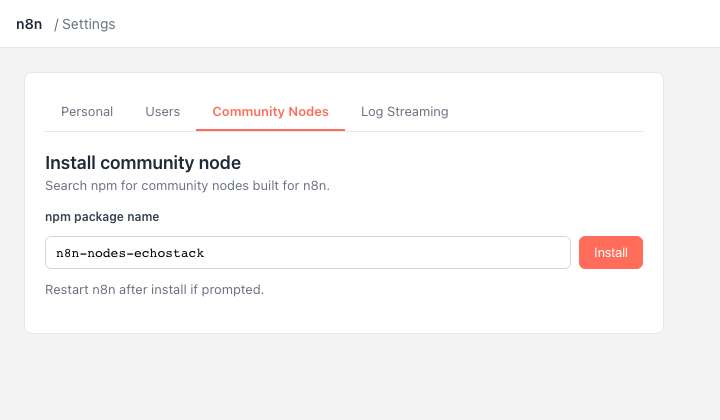
n8n Cloud — Settings → Community Nodes → enter n8n-nodes-echostack.
Self-hosted
npm install n8n-nodes-echostack
Restart your n8n instance after install.
2. Credentials (org API key)
Authentication uses your organization API key (esk_…) and an evaluation_id — not deployment webhook secrets.
Create an EchoStack API credential in n8n:
| Field | Value |
|---|---|
| Base URL | https://api.getechostack.com |
| Organization API Key | esk_… from Dashboard → API Keys |
| Evaluation ID | UUID from POST /v1/evaluations |
- Create an org API key under Dashboard → API Keys (
esk_…) — see eval quickstart. - Call
POST /v1/evaluationsonce to getevaluation_id(see quickstart). - Paste both into the EchoStack API credential.
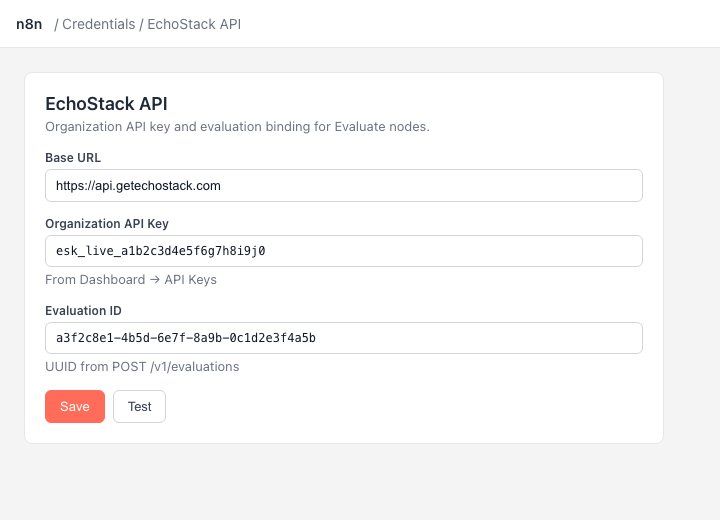
n8n credential — paste esk_… and your evaluation_id; use Test to validate without consuming quota.
The credential test calls GET /v1/evaluations/:id with the configured Evaluation ID — it validates the key and the evaluation binding without consuming evaluation quota.
The Evaluate node sends evaluation_id automatically from the credential. You can override it per request via the node's Evaluation ID field when one key drives multiple evaluations.
Branch on {{ $json.extracted_signals.pricing_interest.confidence }} or .found per detector.
3. Evaluate node
EchoStack → Evaluation → Evaluate
| Input mode | Use when |
|---|---|
| Form Fields | Prior node outputs flat JSON (webhooks, forms, CRM). Default: ={{ $json }} |
| Transcript | JSON array of { "role": "user", "content": "..." } turns |
| Raw JSON | Full POST /v1/evaluate request body |
4. Branching
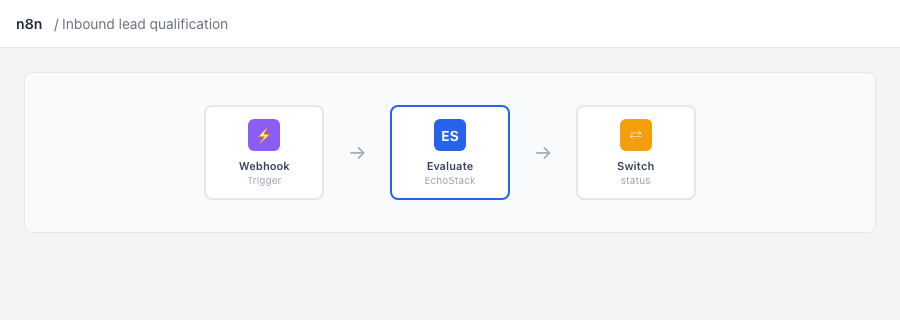
Typical flow: trigger → EchoStack → Evaluation → Evaluate → Switch on {{ $json.status }}.
After Evaluate, add a Switch (or IF) on:
{{ $json.status }}—QUALIFIED,PARTIAL,FAILED,ESCALATE{{ $json.next_action }}—BOOK_MEETING,GATHER_INFO,NURTURE,DISQUALIFY,ESCALATE_NOW,CLOSE{{ $json.missing_fields }}— required fields still missing
| status | Common next steps |
|---|---|
| QUALIFIED | Notify sales, update CRM, book a meeting |
| PARTIAL | Ask for missing info, nurture sequence |
| FAILED | Archive or tag disqualified |
| ESCALATE | Alert a channel or human review |
5. Starter workflow
Import the sample workflow shipped with the package:
- CDN: unpkg.com/n8n-nodes-echostack/example-workflow.json
- npm:
node_modules/n8n-nodes-echostack/example-workflow.json
In n8n: ⋯ → Import from file, attach your EchoStack API credential on the Evaluate node, then run once with the pinned test data.
The template uses a Webhook trigger for easy testing. Replace it with your production trigger (HubSpot, Typeform, etc.).
6. Verify
- Run the workflow once in n8n.
- Open Dashboard → Activity or Test evaluation on the evaluation you created.
- Confirm a log row with the expected
status.
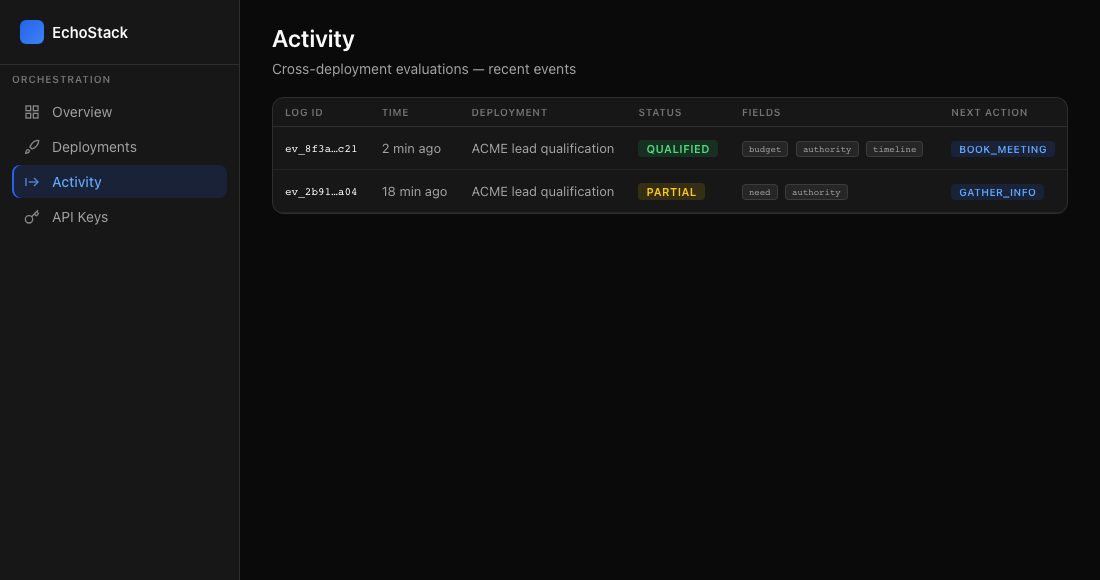
Dashboard → Activity — confirm the log row and status match your Switch branches.
Branching on PARTIAL (do not skip)
PARTIAL is not a soft failure — it means required manifest fields are missing. In production, route it explicitly:
| Branch | n8n hint | Automation |
|---|---|---|
QUALIFIED |
Switch rule status === QUALIFIED |
CRM owner, meeting link |
PARTIAL |
status === PARTIAL |
Nurture; email using missing_fields; no senior AE assign |
FAILED |
status === FAILED |
Archive / disqualified tag |
Optional IF node: $json.missing_fields.length > 0 to pick which nurture template to send.
Webhook retries can double-evaluate — see webhook inbound qualification.
Errors
| HTTP | Meaning |
|---|---|
| 401 | Invalid esk_… — regenerate under Dashboard → API Keys and update the n8n credential |
| 400 | Malformed body or missing evaluation_id — set Evaluation ID on the credential or Evaluate node |
| 402 | Quota exceeded — check message, resetAt, upgradeUrl |
| 429 | Rate limited — retry after a short delay |